Microsoft Office
 Office Pakete für Mac
 Adobe
Adobe
'/%3E%3Crect x='4' y='13' width='40' height='10' rx='4' fill='%232f9bff'/%3E%3Crect x='21' y='11' width='6' height='32' rx='2' fill='url(%23b)'/%3E%3Cpath d='M24 13c-7-9-16-4-12 1.5C14.5 18 21 16 24 13Z' fill='url(%23b)'/%3E%3Cpath d='M24 13c7-9 16-4 12 1.5C33.5 18 27 16 24 13Z' fill='url(%23b)'/%3E%3C/svg%3E) Bundle
Bundle


⬇️ Download
Choose your language – we recommend the 64-bit version (right for virtually all modern PCs).
Install & activate Microsoft Office 2013 Standard
This guide walks you step by step through downloading, installing and activating Microsoft Office 2013 Standard – clearly explained.
Installation & activation in 4 steps
Download the ISO file
Download the desired version from the download section above. If your device has more than 4 GB of RAM, we recommend the 64-bit version. This ISO file is the basis for the installation of the product.
Mount the ISO file
Once the download is complete, right-click the downloaded file and choose the “Mount” option from the dropdown menu.
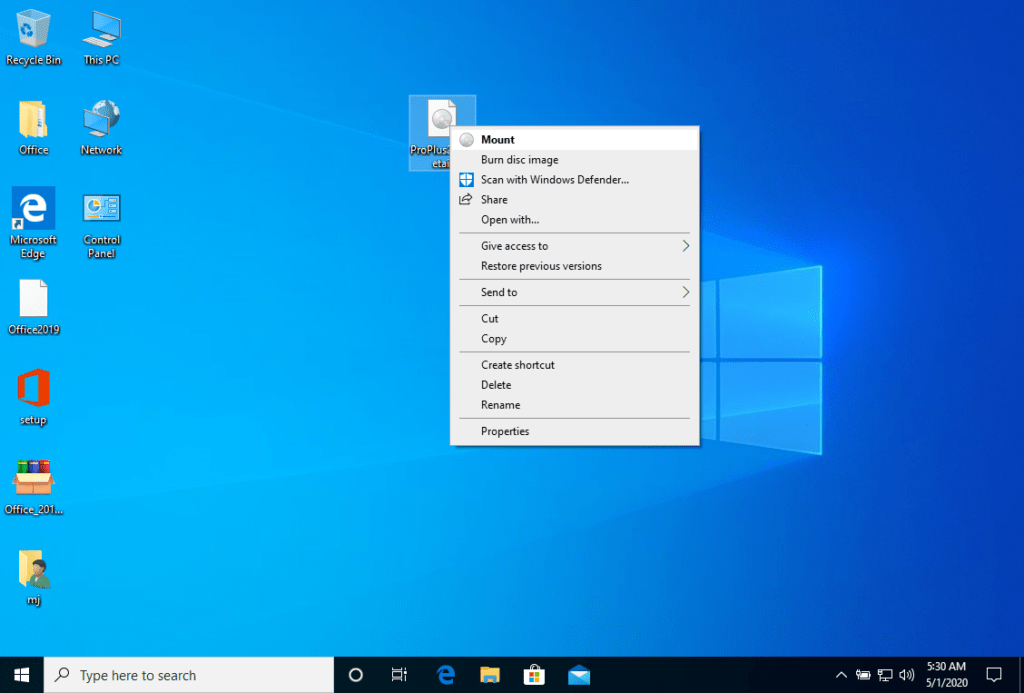
After the ISO file you downloaded is mounted, you can access it from your Computer as a DVD drive. Here you can run the installer.
Complete the installation & enter the product key
Complete the program installation and enter the “activation key” during or at the end of the process.
Once the download and installation are complete, enter the activation key when you first run any application from the Microsoft Office package – it will be the first thing you are asked.
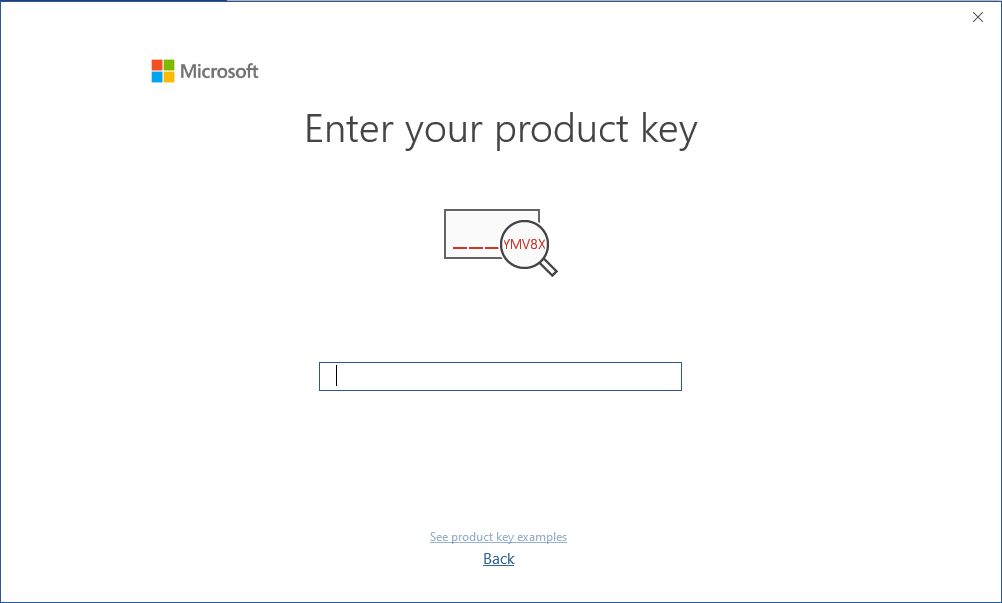
During the installation of Microsoft Office you should have been prompted to enter the product key we sent you. If this did not happen, start Word, click on File, then on Account and enter the key here. Otherwise your Microsoft Office will turn into a trial version after 30 days.
Alternative: WinCDEmu (e.g. Windows 7)
The mounted image should appear on your Computer. If it does not appear (AS IN WINDOWS 7), you must use an alternative program to mount the product image, such as WinCDEmu, which can be downloaded from the following link:
Use this program to create a virtual disk so that you can install your program.
System requirements
- 🖥 1 GHz or faster processor (x86/x64)
- 🧠 1 GB RAM (32-bit) / 4 GB RAM (64-bit)
- 💾 4 GB of available hard disk space
- 🎮 DirectX 9 graphics with WDDM 1.0 or higher driver
We wish you a successful installation. If you have any problems or questions, our customer service is available at any time – we will help you as soon as possible.